Tax preparation software for CPA firms
Run the whole tax season from one place.
Haven is where a firm's clients answer, upload and sign, and where the firm reads every document, prepares every return and files it. Both sides see the same step at the same moment, on the web and on the phone.
Already on Haven? Sign in to the client portal or the staff portal.
- stages, one path for every return
- 9
- sections in the 2026 organizer, asked only when they apply
- 15
- document types in the checklist catalog
- 174
- surfaces: staff portal, client portal, phone app
- 3
- the whole client portal and the phone, in both
- EN · ES
- on every SSN, EIN and account number at rest
- AES-256
One season on Haven
From the first question to the IRS's answer.
Six moments, in the order a season runs them. Every picture is the product as it is today.
01
The client signs in and answers.
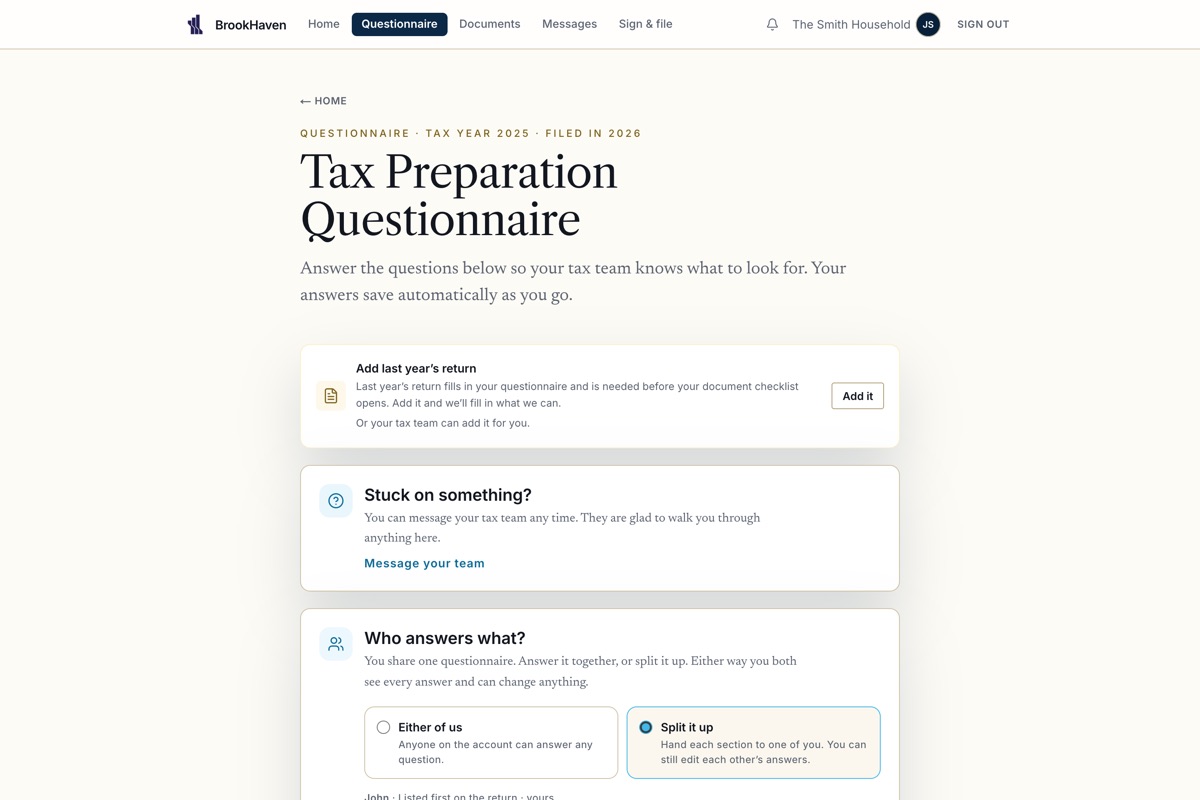
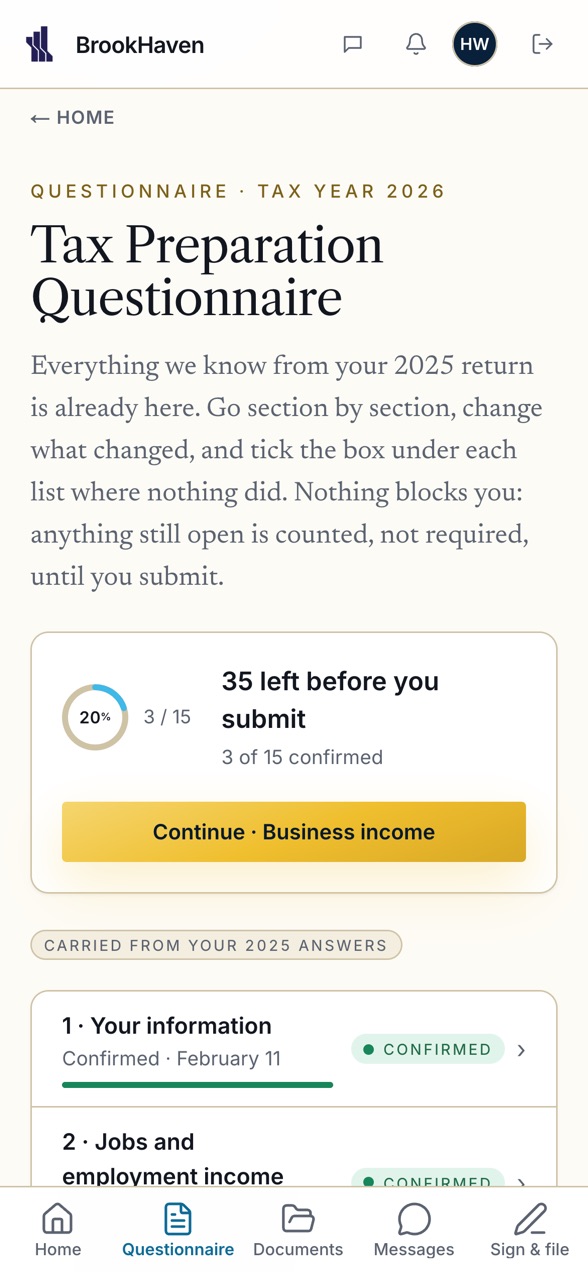
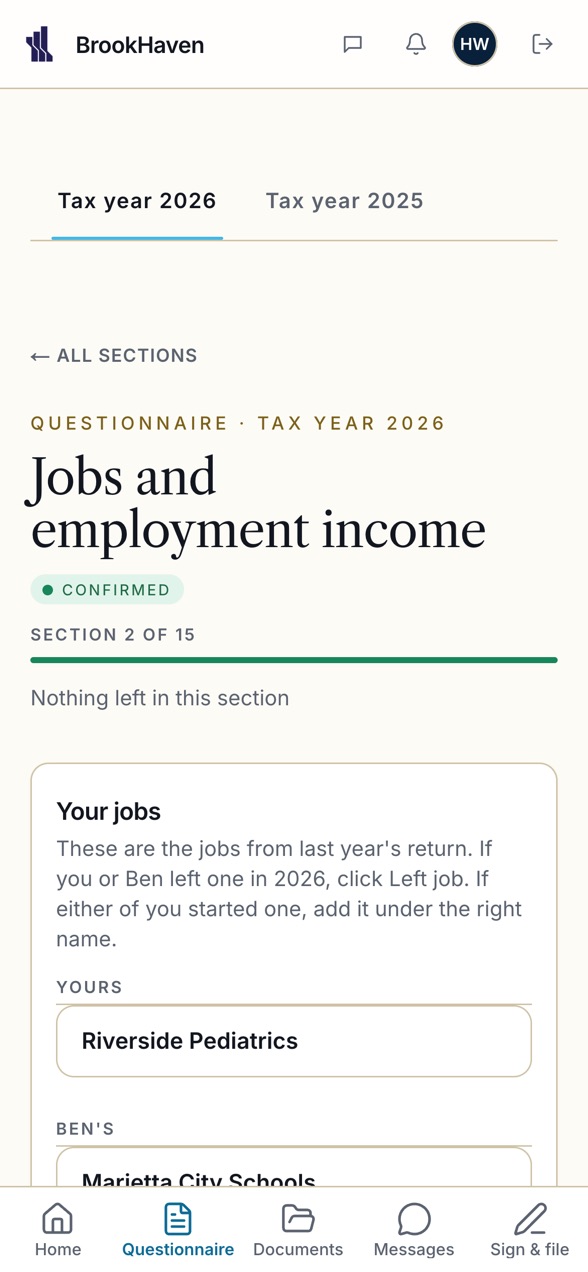
A returning client opens the 2026 organizer with last year's answers already in place. They confirm what still holds, change what changed, and nothing blocks them. On the web or on the phone, in English or Spanish.
02
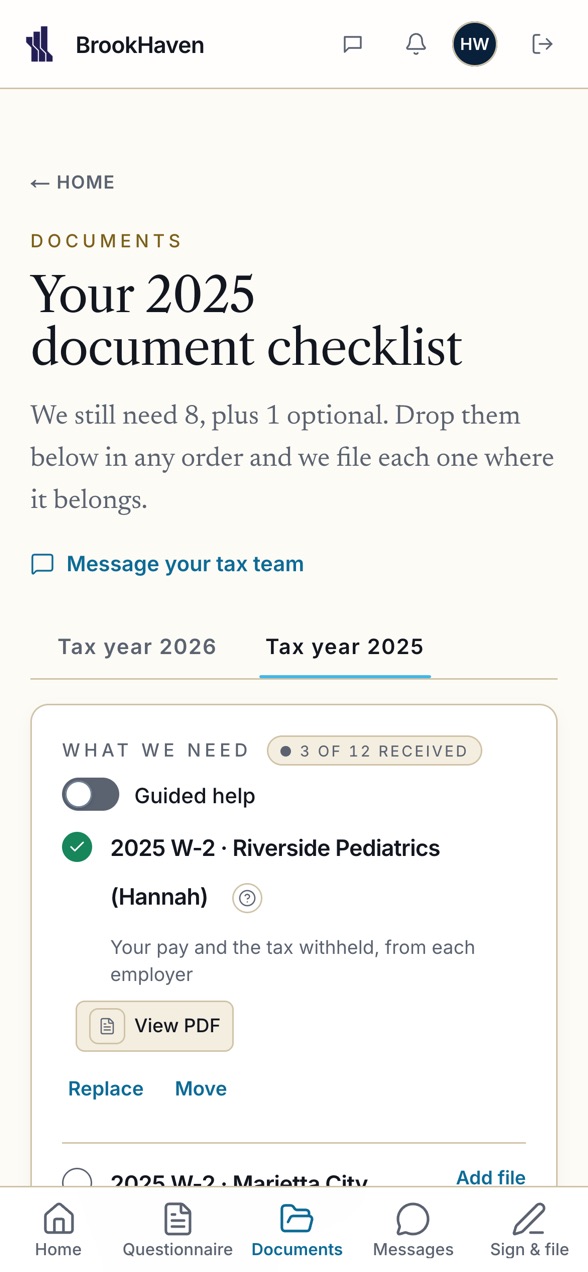
The documents come in.
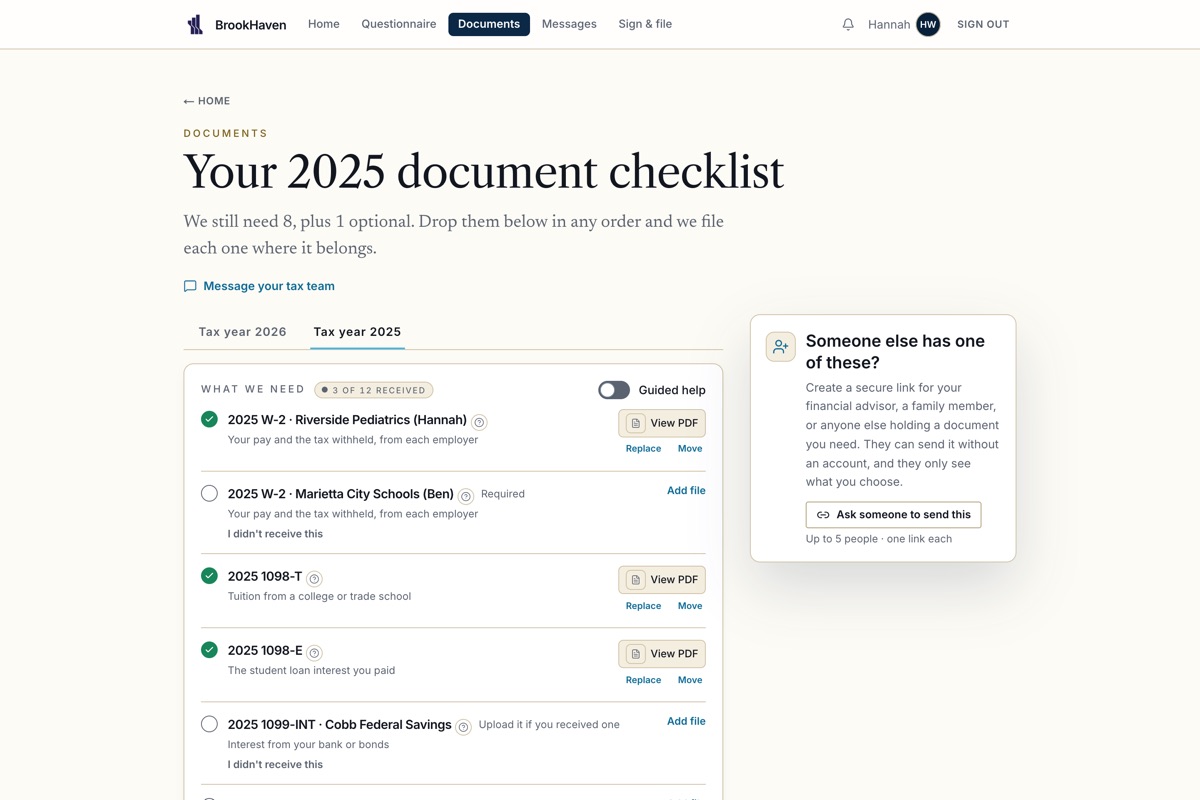
The checklist is built from their answers. A client photographs a W-2 at the kitchen table and the firm sees it arrive the same second. Every file passes the firewall before anyone opens it.
03
Brooke reads every document.
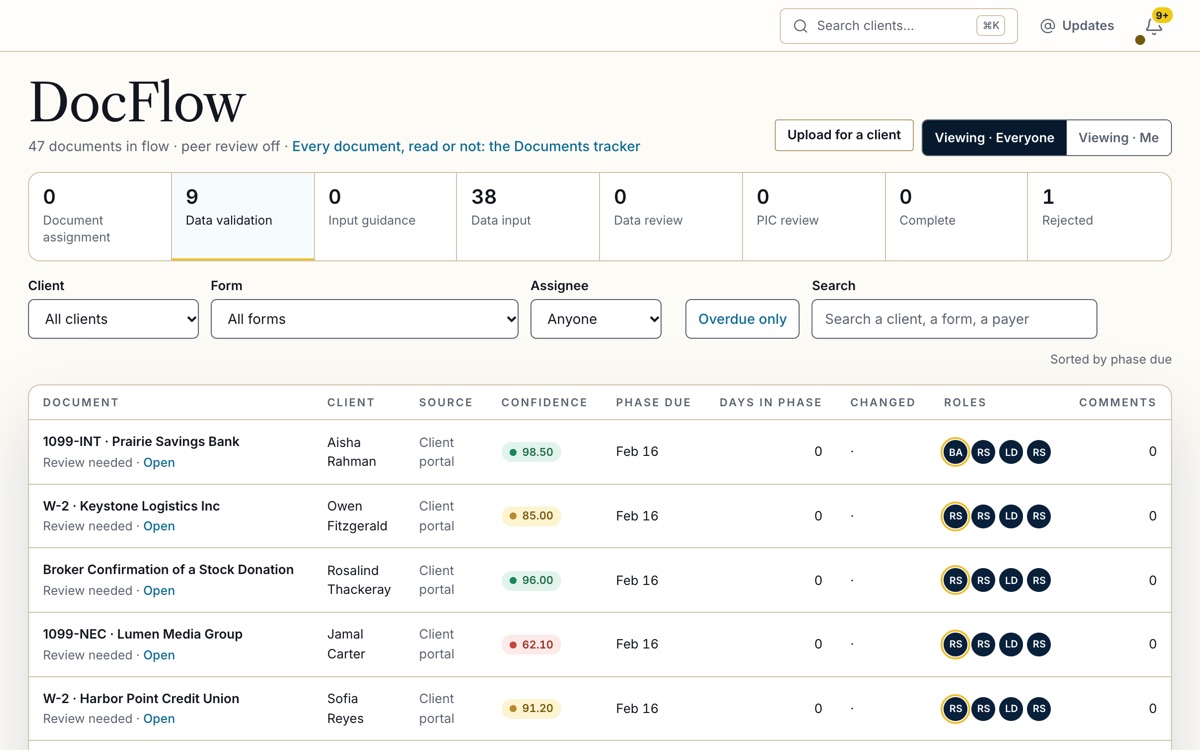
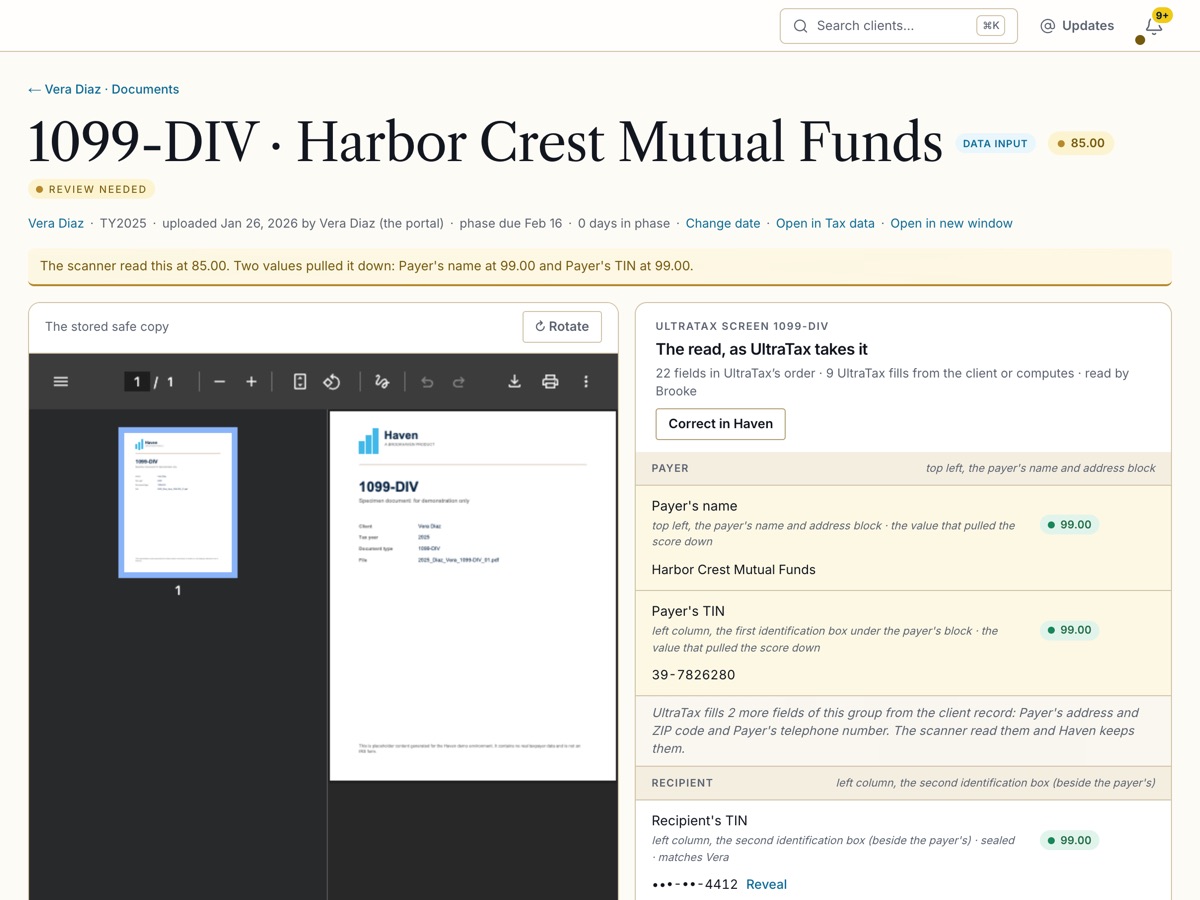
Each upload comes back with its data and a confidence score, in color. At 95.00 and above the data goes into UltraTax by itself. Below that, DocFlow flags the document and the staffer it belongs to decides: approve it as read, ask the client for a clearer copy, or correct it in Haven.
04
The return moves step by step.
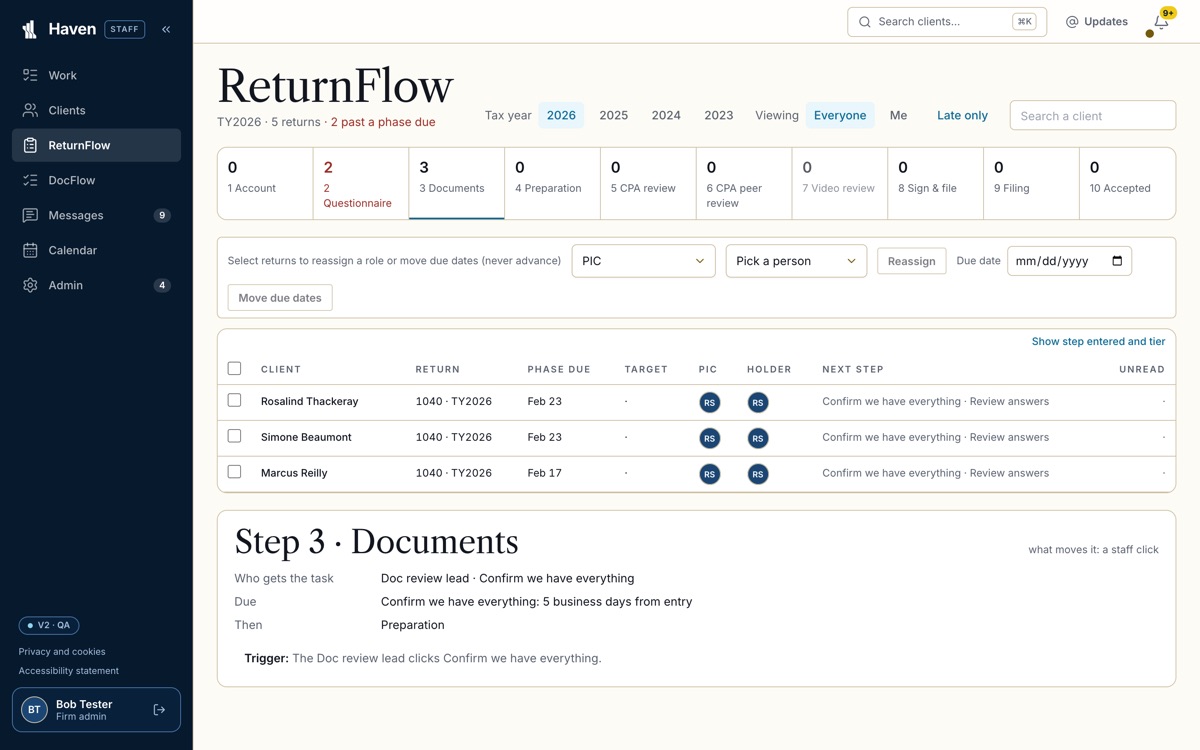
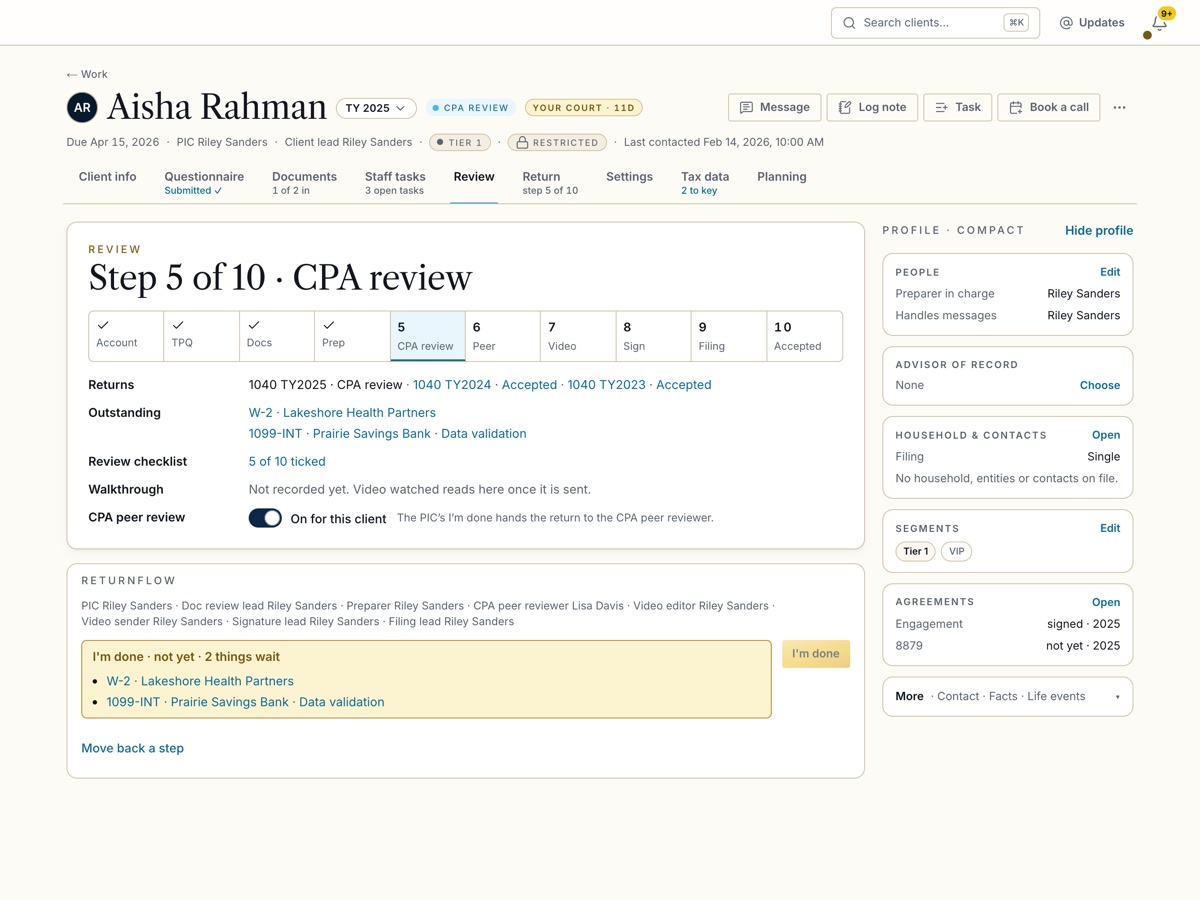
ReturnFlow carries each return through its ten steps on one page: gathering, preparing, review, a CPA peer review if the firm wants one, the signature, the filing. Every step has an owner, a due date in business days and a Done that performs it.
05
The client signs.
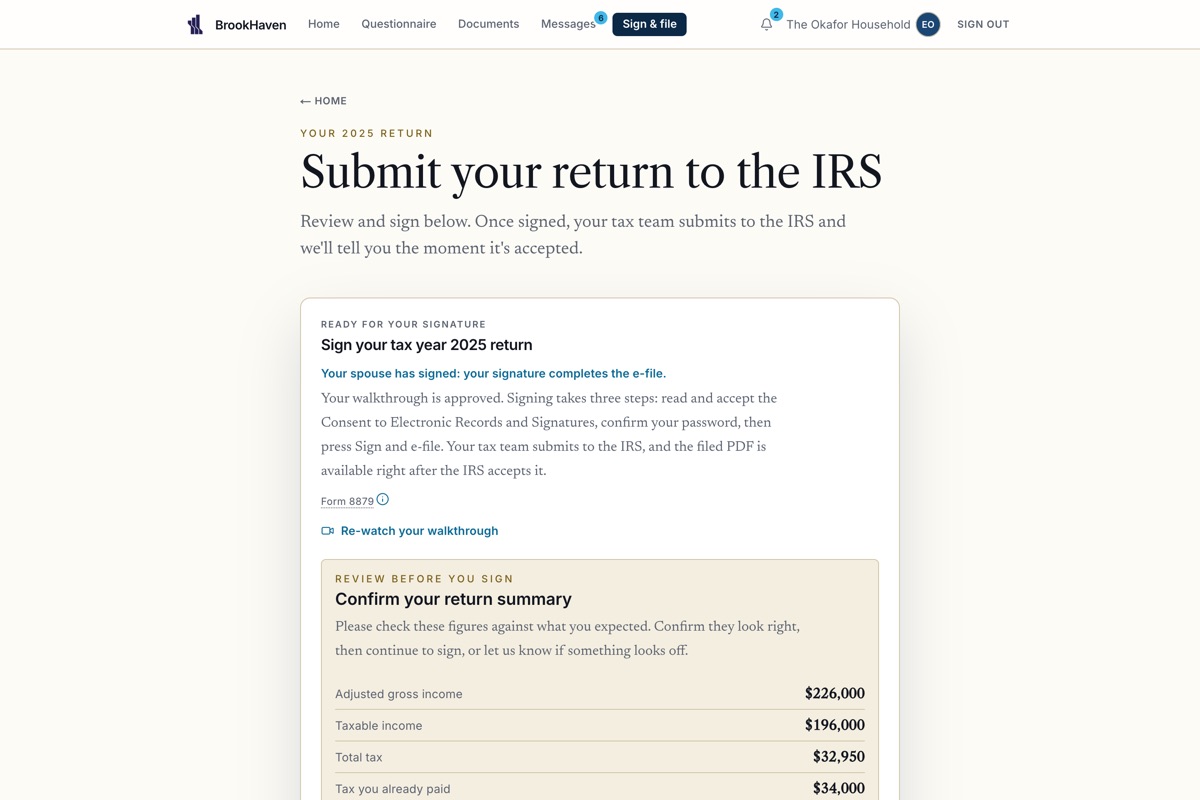
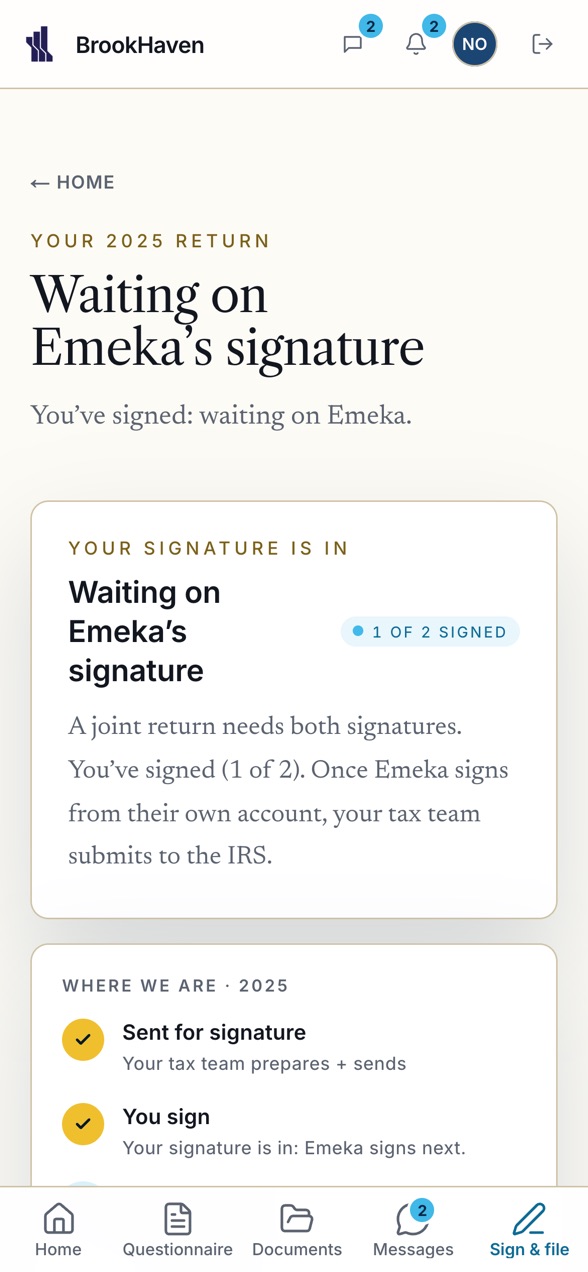
The firm posts a short video walkthrough. The client watches it, reads the summary and signs the 8879 from the portal or the phone. A joint return waits for both signatures, wherever the two of them are.
06
The IRS answers.
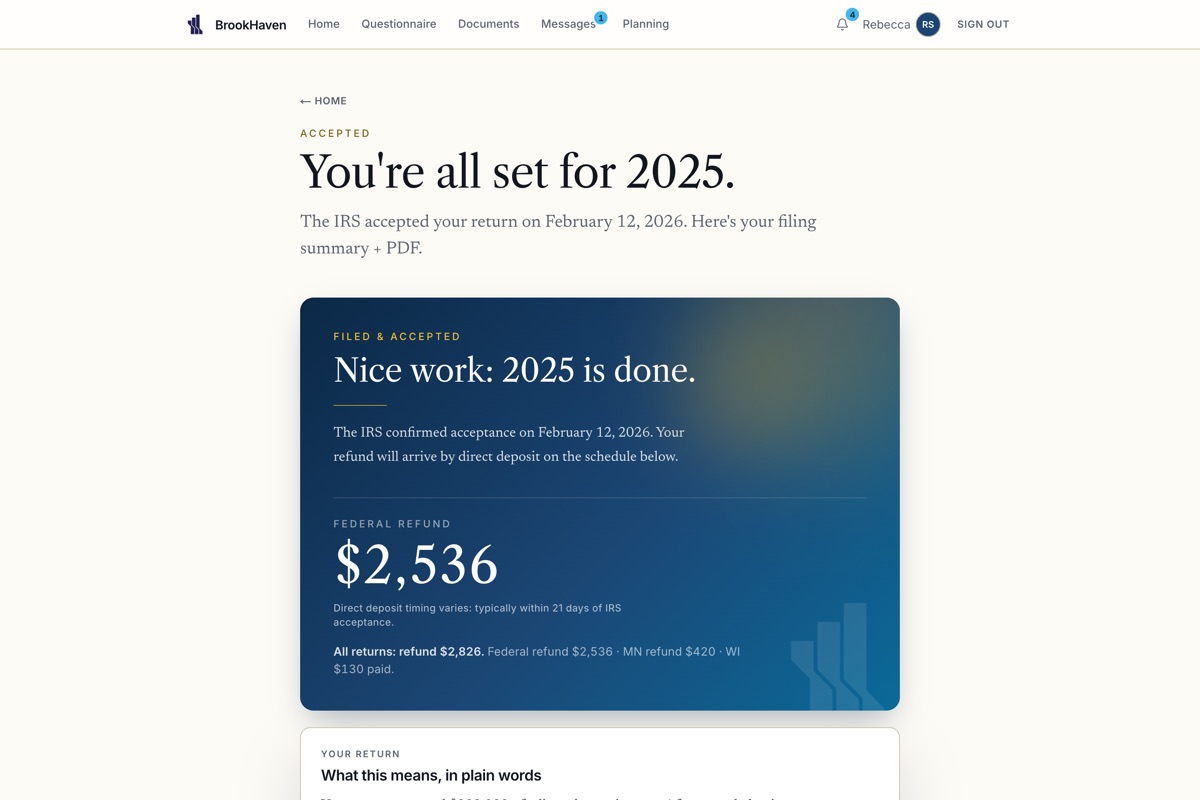
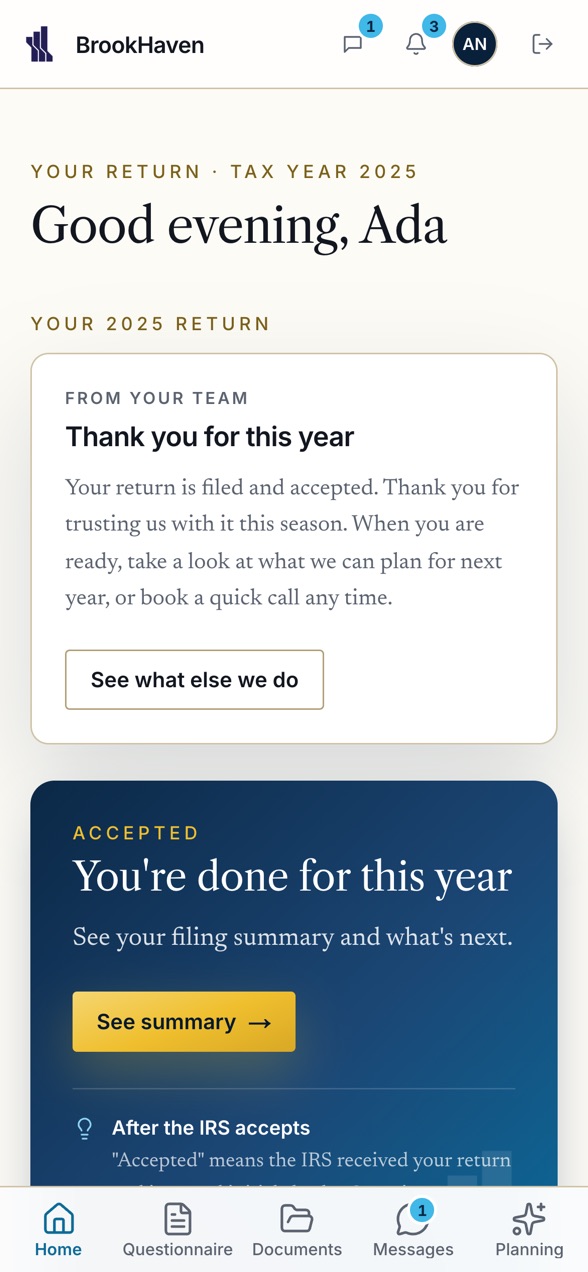
The firm records the acceptance. The client sees it on Home, with the refund or the balance shown only once it is real. The filed return and every prior year stay in one place, downloadable, for as long as they are a client.
Both sides, live
The firm and the client see the same moment.
A stage move, a document read, a message, a signature: each appears on the staff portal, the client portal and the phone as it happens. Nobody refreshes, nobody asks "did you get it".
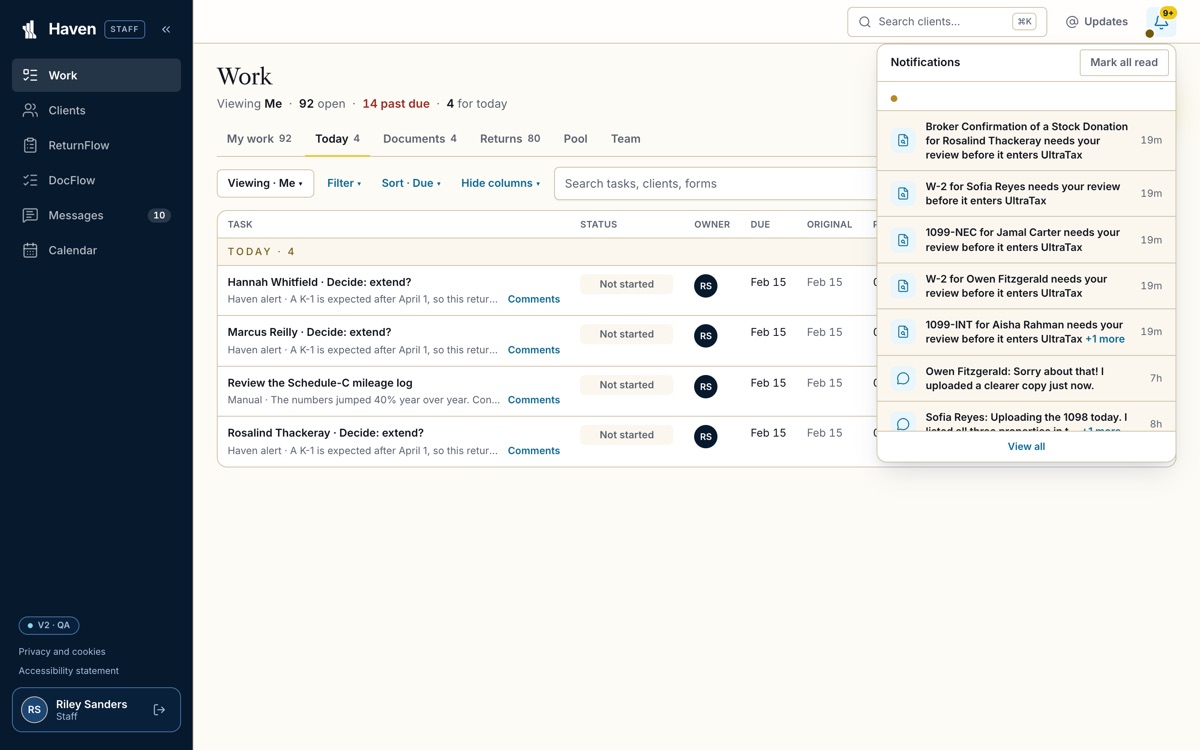
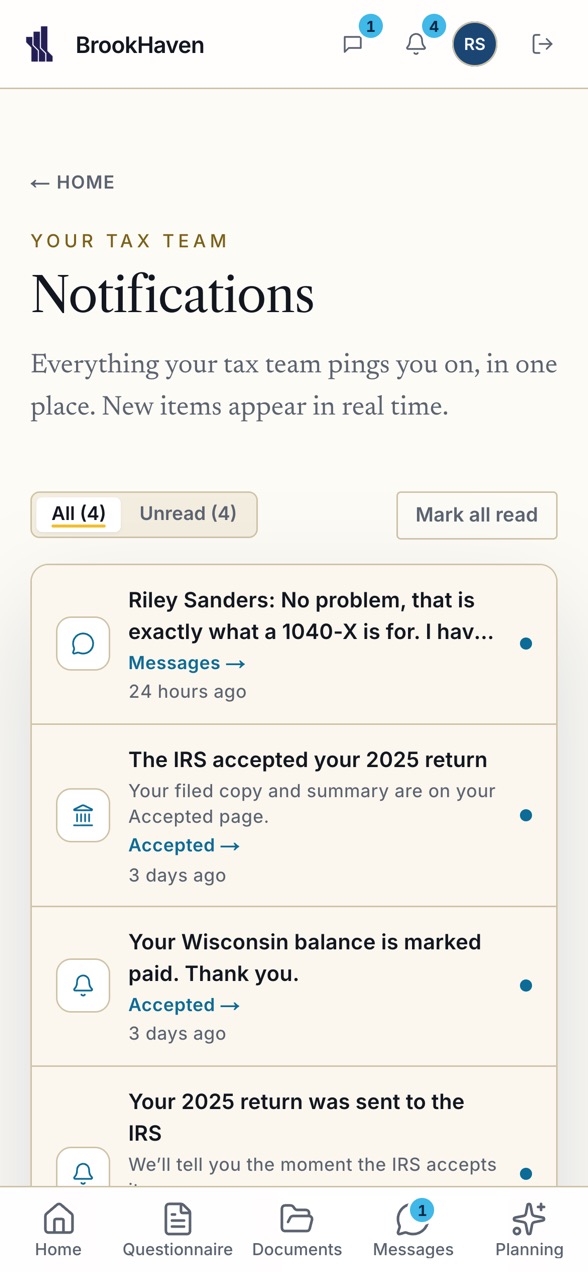
- The client uploaded a 1099-DIVstaff bell · DocFlow
- Brooke read it: 98.50, entering into UltraTaxstaff bell · the document
- Your return moved to Reviewclient Home · phone push
- A message from Lisa Davis, CPAclient Messages · phone
- Everett signed. Waiting on Soraya.staff Work · client Home
- The IRS accepted the 2025 returneveryone, everywhere
What the firm works in
Built for the way a firm actually runs a return.
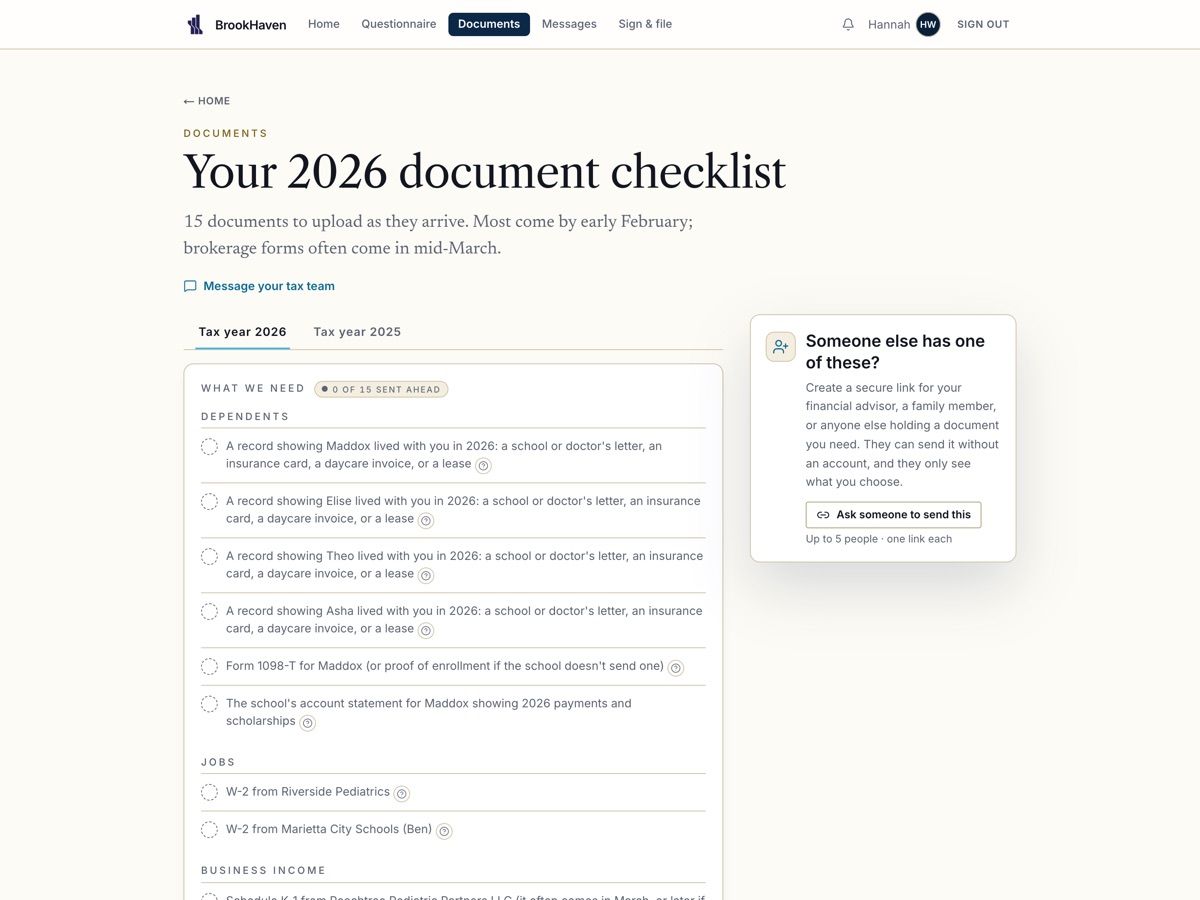
One staff portal, one client portal, one phone app, one source of truth underneath. Every screen below is the product today.
Work and the assignment engine
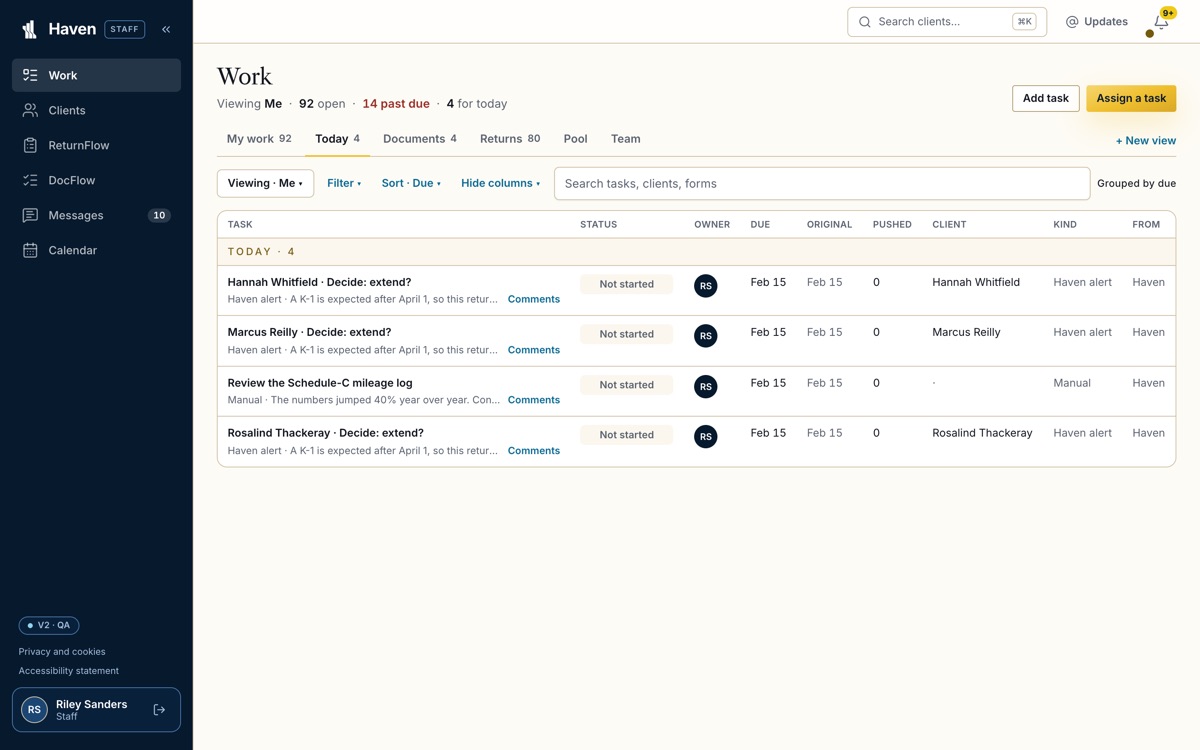
Open the day on what needs you.
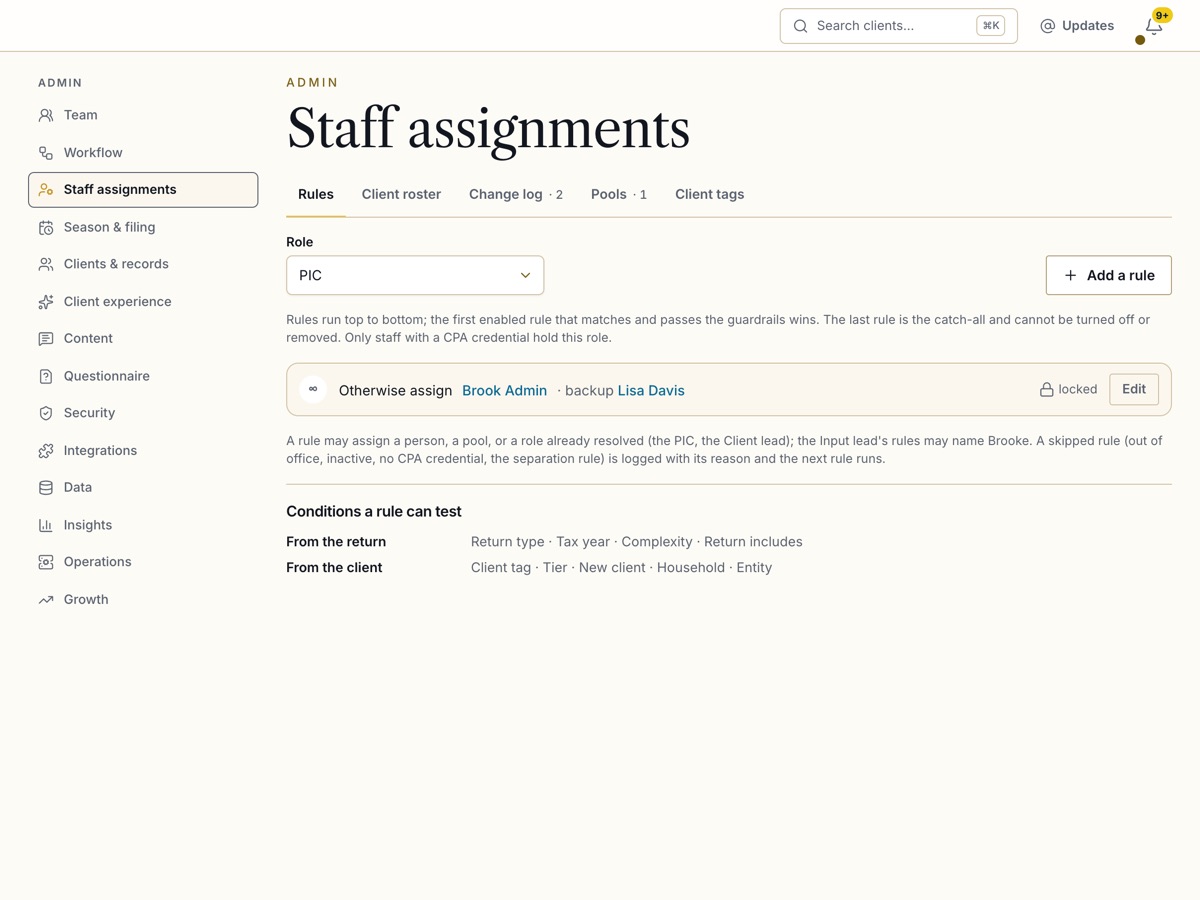
Work is the landing page: one table of your tasks with their status, owner and due date, saved views for the team, the documents and the returns, and a Done that performs the step itself. The assignment engine fills every role from the firm's own rules, with a catch-all, a backup and out of office.
- Viewing: me, a teammate, the whole team
- A return's roles: preparer in charge, client lead, input lead
- Pools a staffer picks work up from
DocFlow and the document input status
Every document, on one board, with its score.
Every document of every return moves through its stages on one board: assignment, validation, input, review, in UltraTax. The confidence score sits beside it in color, and one of three statuses tells a staffer at a glance whether anything is owed.
- Green at 95.00 and above, yellow from 80.00, red below
- Review needed · Entering into UltraTax · In UltraTax
- Brooke tells Haven the moment an entry is done
The score in color, the status beside it, the owners on the row.
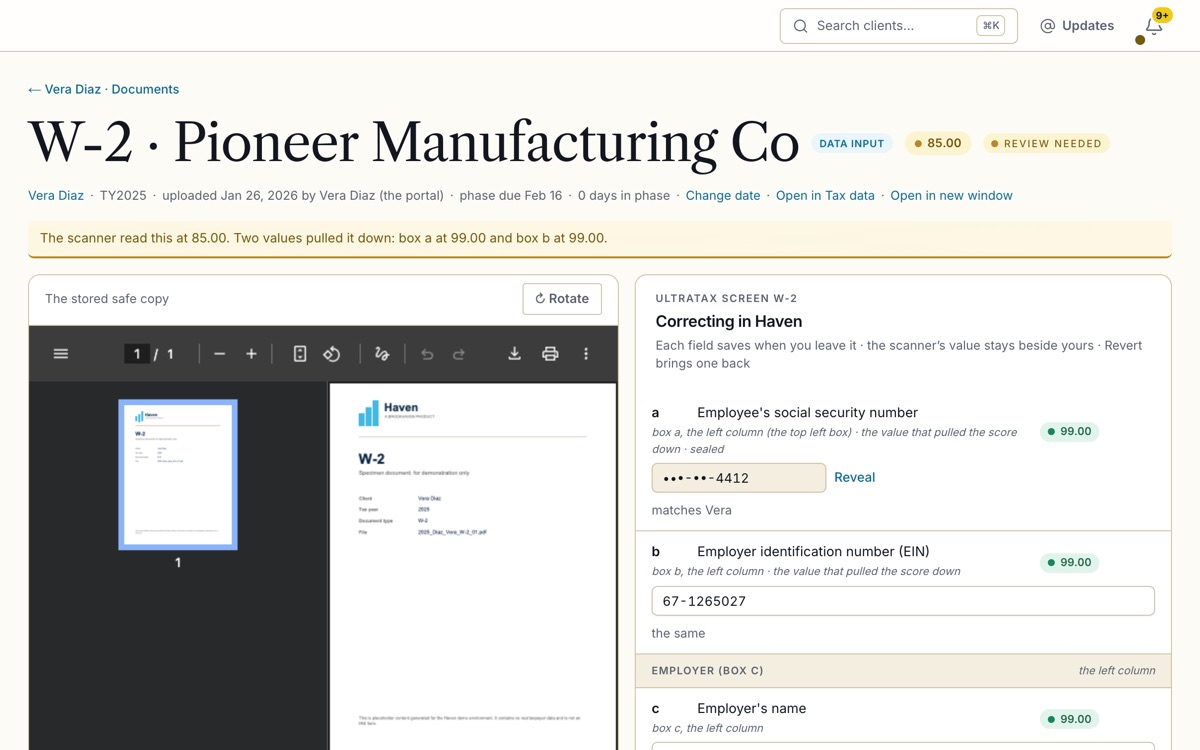
The scanned-data editor
Every scanned value, editable beside the page it came from.
A document's data opens in place, in UltraTax's own order, each field naming its box on the paper form, with the scanned value and its score beside the uploaded image. The staffer corrects what needs it, and Haven sends the corrected data to Brooke to enter.
- Every document type, no "view only"
- Saved field by field, versioned and audited
- The same data on the Tax data page
The client portal and the phone
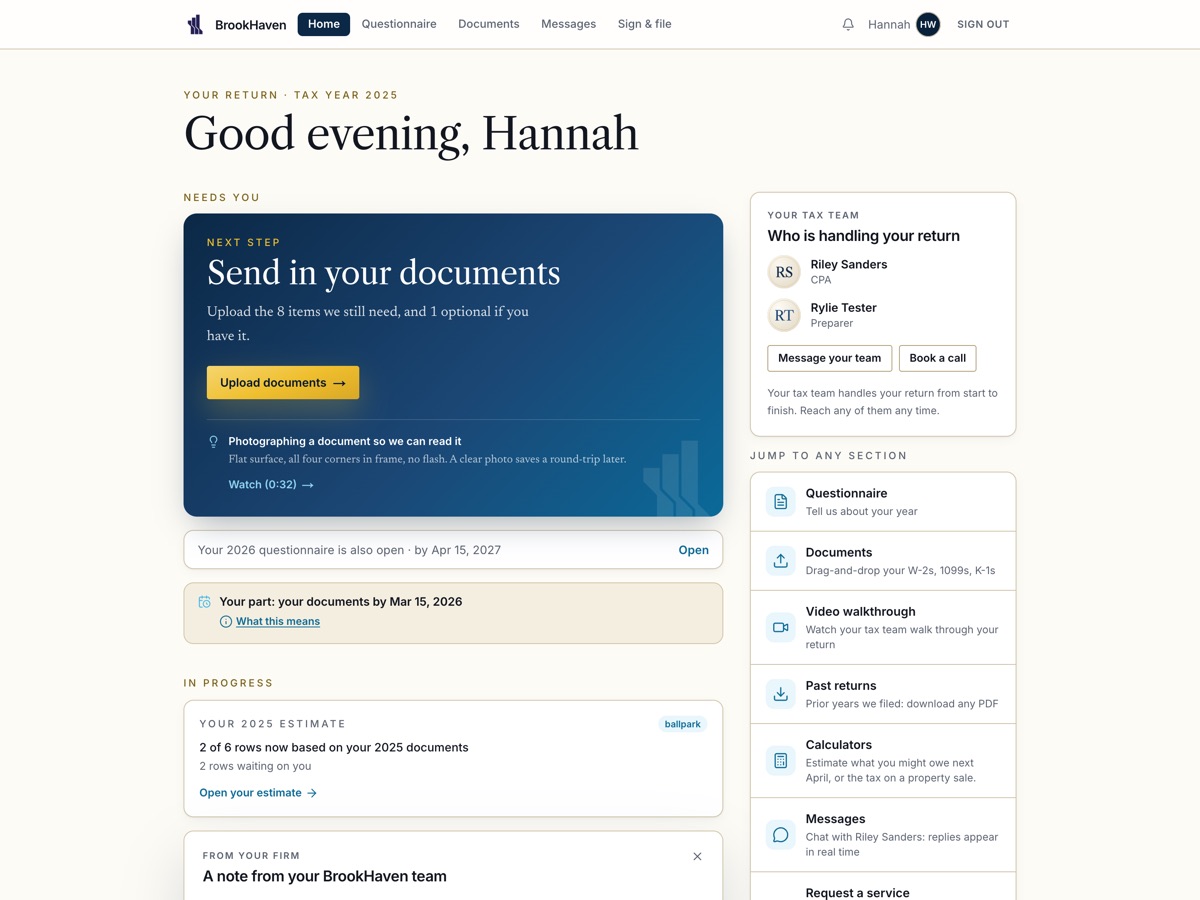
One next step. Nothing to hunt for.
Home shows the client one next step and three bands: Needs you, In progress, For your records. The questionnaire, the documents, the messages and the signature live where the client expects them. The phone app mirrors the portal screen for screen, in English and in Spanish.
- Who is handling your return, with a face and a name
- A household on one login, or two
- A helper with exactly the access the client gave
Messages
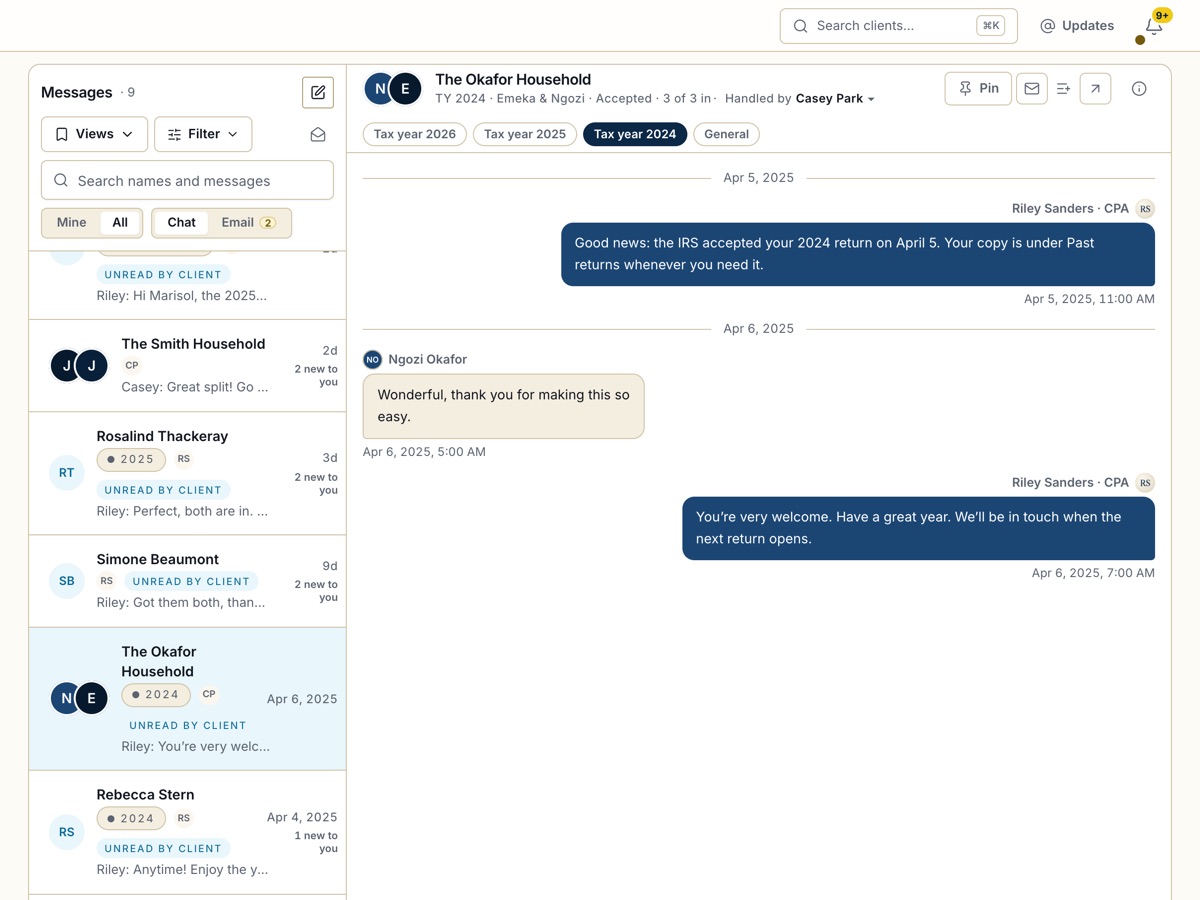
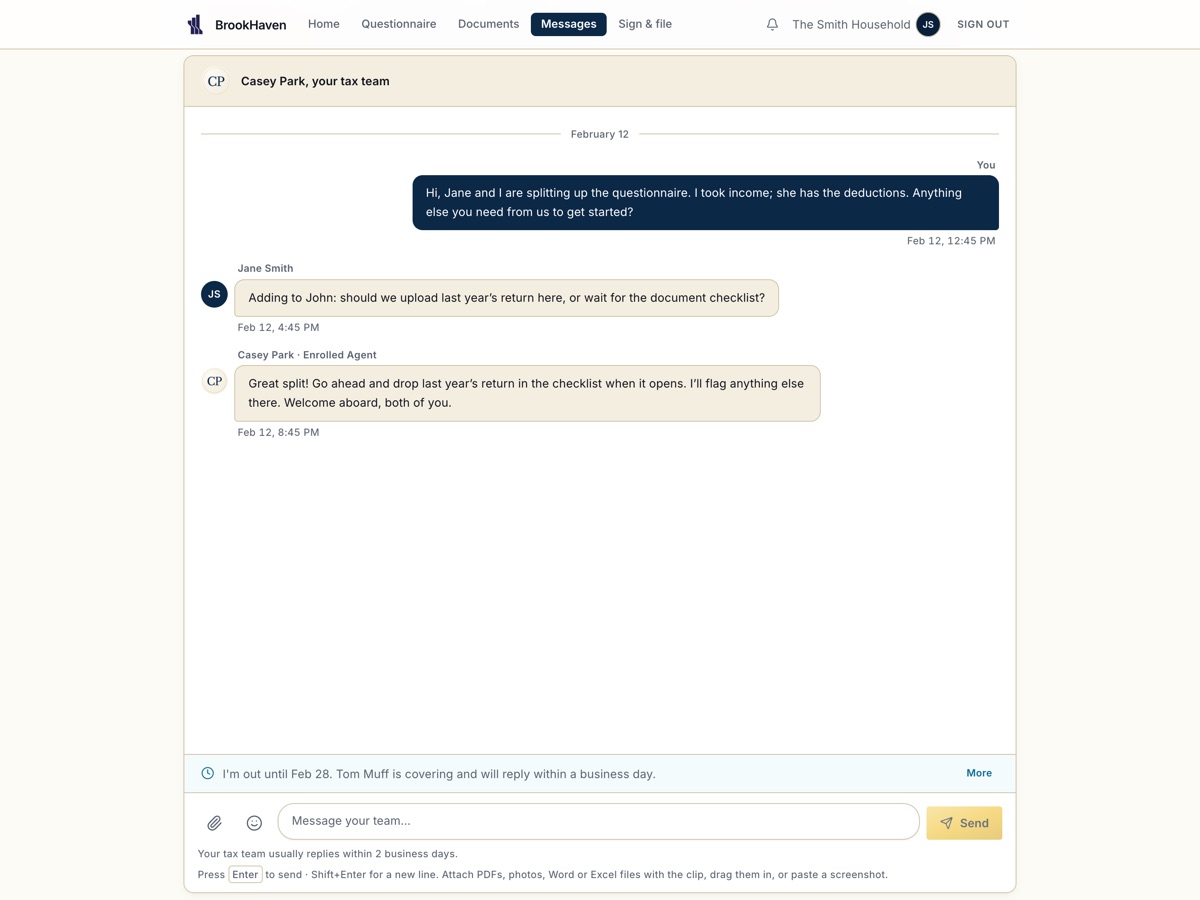
One conversation per household.
Both spouses in the same thread, the firm's replies with a face and a name, attachments that land in the checklist, and every prior year in the same place. The client reads it in their language; the firm reads it in theirs.
- One accountable responder shown, never the routing
- A reply target the firm sets
- Email in the same inbox
The 2026 organizer
Ask only what applies. Confirm what you already know.
Fifteen sections, each shown only when it applies to the client. A returning client confirms last year's facts instead of retyping them, and sees exactly what is left before they submit. The firm reads every answer beside the document that proves it.
- The checklist builds itself from the answers
- Identifiers stored sealed, revealed only with a password
- The firm edits the questionnaire's words in Admin
Security
This is federal tax information. Haven is built like it.
Social Security numbers, employer identification numbers and bank details are not ordinary form fields. Every control below is in the running product, not on a roadmap.
Encrypted at the field
Every SSN, EIN, routing and account number is encrypted with AES-256-GCM before it reaches the database, under versioned keys that rotate without re-encrypting history.
A firewall on every file
Every upload is judged by its bytes, not its name, scanned for malware and rebuilt before anyone opens it. A file that fails is held and never served.
A tamper-evident record
Every consequential action, a sign-in, a document opened, a signature, a stage move, is written to a per-firm hash chain. A row changed outside the application shows as a break.
Roles that fit a firm
Firm admins, staff, advisors and their assistants each see what their role allows and nothing else. A client's helper sees only what the client shared, and the client can take it back.
Two factors, then a second look
Time-based codes at sign-in for staff and for clients, under the firm's policy, and a password re-entry in the moment before anything sensitive is revealed or signed.
Firms never touch
Every record carries its firm. Every build signs in as the wrong firm and tries every route in the API. A single success fails the build.
Nothing here promises a refund or a balance. Haven shows the figure when the IRS has accepted the return, and not before.
Who it is for
A firm of one to fifty, with a book that comes back every year.
Haven is multi-firm from the first line of code. Each firm runs its own book, its own rules and its own team, and never sees another's.
The partner
Sees every return's step and who holds it.
Signs off on the review, reads the audit when a question comes up, and sets the firm's rules once: the workflow ladder, the roles, the policies.
The office manager
Runs the season without chasing anyone.
Brings the book in, assigns the roles, watches the documents arrive on DocFlow, and lets the bells and the due dates do the reminding.
The client
Answers once, uploads from the phone, signs, reads the outcome.
One next step at a time, in English or Spanish, with a person's name on every reply. Nothing to install on a laptop; the phone app comes with it.
Hundreds of returning clients roll into the new season in one pass: their answers, their checklist, their dependents and their carryforwards come along. Nobody re-keys a thing.
See it on your own book
Request a demo.
Tell us about your firm. A person from the Haven team replies within one business day with a time, and walks you through a season on Haven with your kind of clients.
What happens next
A person, not a queue. Your request lands in the firm's own inquiries, where every lead is read.
By email, from a named person, with two or three times to choose from.
Your kind of clients, start to finish, on the staff portal, the client portal and the phone. Bring your questions.
- Nothing to install for the demo.
- Your note is encrypted at rest, like everything in Haven.
- Prefer to talk first? Call 762-847-0126.
Plain answers
Asked before a firm signs up.
Is Haven only for BrookHaven's clients?
No. Haven is multi-firm: every record carries its firm, every build proves that firms cannot see each other, and each firm runs its own book, rules and team. BrookHaven is the first firm on it.
What does Brooke do?
Brooke is the document reader the firm connects. She reads every upload, returns the data with a confidence score, and enters the approved data into UltraTax. Haven keeps the score, the status and every correction, and tells the staffer when something needs a look.
Do we have to use UltraTax?
The UltraTax entry is a connection the firm turns on in Admin. Without it, Haven still reads, scores and stores every document's data, and the firm keys its own software from the Tax data page.
Can our clients use their phones?
Yes. The phone app mirrors the client portal screen for screen: the questionnaire, the documents by camera, the messages, the signature, the outcome. The same account works on both.
How do we bring our existing clients over?
Through Haven's importers. The firm's prior-year records come in as returning clients with their answers and their checklists, so the new season opens already personalized, and the firm's staff come in with their roles.
Can a client's spouse, or their bookkeeper, help?
A household shares one return on one login or two, each with its own password, and a joint return waits for both signatures. A helper gets exactly the access the client gives, sees that and nothing else, and the client can take it back at any time.
What does it cost?
Haven is priced per firm, by the size of its book and its team. Request a demo and we quote your firm, not a tier.
Is our clients' data safe with you?
Every identifier is encrypted at the field before it reaches the database, every file passes a firewall, every action is written to a tamper-evident record, and firms never see each other. The Security section names each control; every one of them is in the running product.